Inventor — Visual QC System for Manufacturing Environment
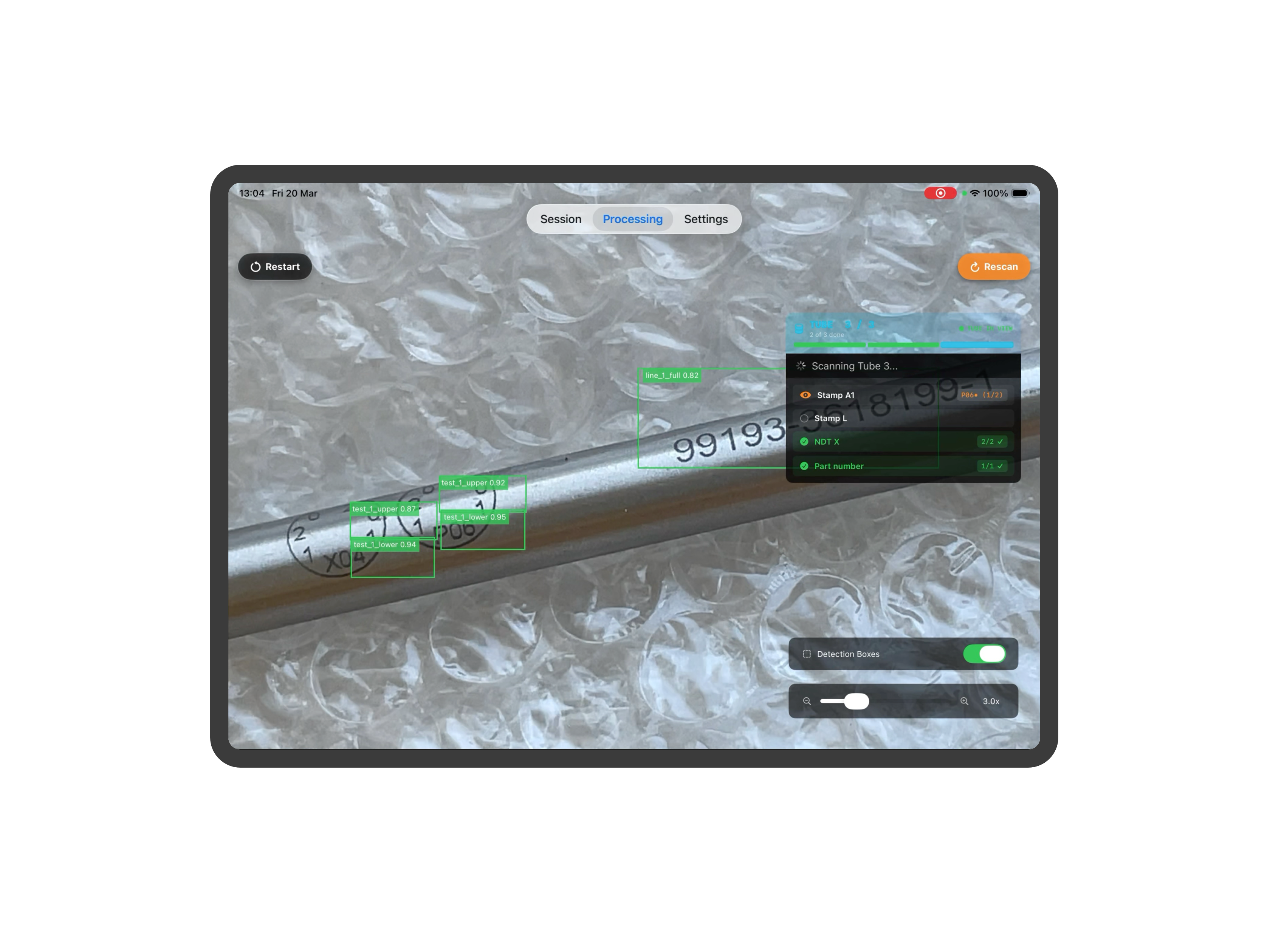
Platform for automated visual quality control of aerospace tube stamping, labelling, and marking. A five-stage on-device CoreML cascade — detection, segmentation, classification, OCR, and shape recognition — guides inspectors stamp-by-stamp, validating each result against the paper router and registration data. All inference runs on-device with no network dependency; end-to-end per-stamp detection completes in under 5 seconds.
Automate and enhance the process of tube QC checking
- ML Vision
- Mobile
- iOS
- Product Design
- B2B
- QC
- Manufacturing
The core challenge of this project was assembling several models into a unified pipeline with the ability to flexibly configure acceptance criteria and easily add new asset types.
ML Vision Workflow
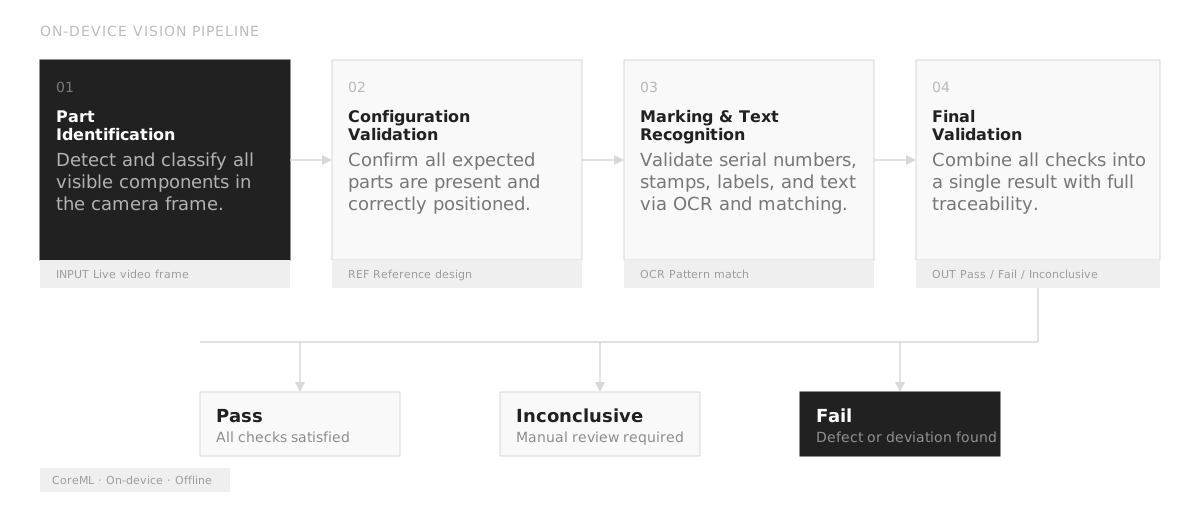
1. Data Collection & Annotation — Tube photos are captured across a wide range of materials, lighting conditions, and stamp types. Each image is annotated with bounding regions and labels for every stamp, mark, and date present, building a dataset that covers the full production variety. The annotation tooling is embedded directly in the iOS app — inspectors can flag, correct, and re-label detections on the shop floor without an external labelling platform, closing the feedback loop at the source.
2. Stamp Detection & Segmentation — A detection model scans each tube image to locate all stamp regions, outputting a bounding box and confidence score per detected stamp. An instance segmentation pass then produces precise pixel masks, separating tightly spaced stamps that bounding boxes alone would overlap. The two-stage approach is necessary because stamps on aerospace tubes are often separated by only a few millimetres — single-stage detection consistently merged adjacent regions in early experiments.
3. Stamp Classification — Each segmented region is passed through a classification model that assigns it to a stamp type category — inspection mark, date stamp, operator code, part number, and so on. The model is trained to distinguish visually similar stamps that differ only in small typographic or geometric details. Trained models are converted to CoreML format and shipped as standard app updates through Apple Business Manager — no backend changes or on-site deployments are required to update the models in the field.
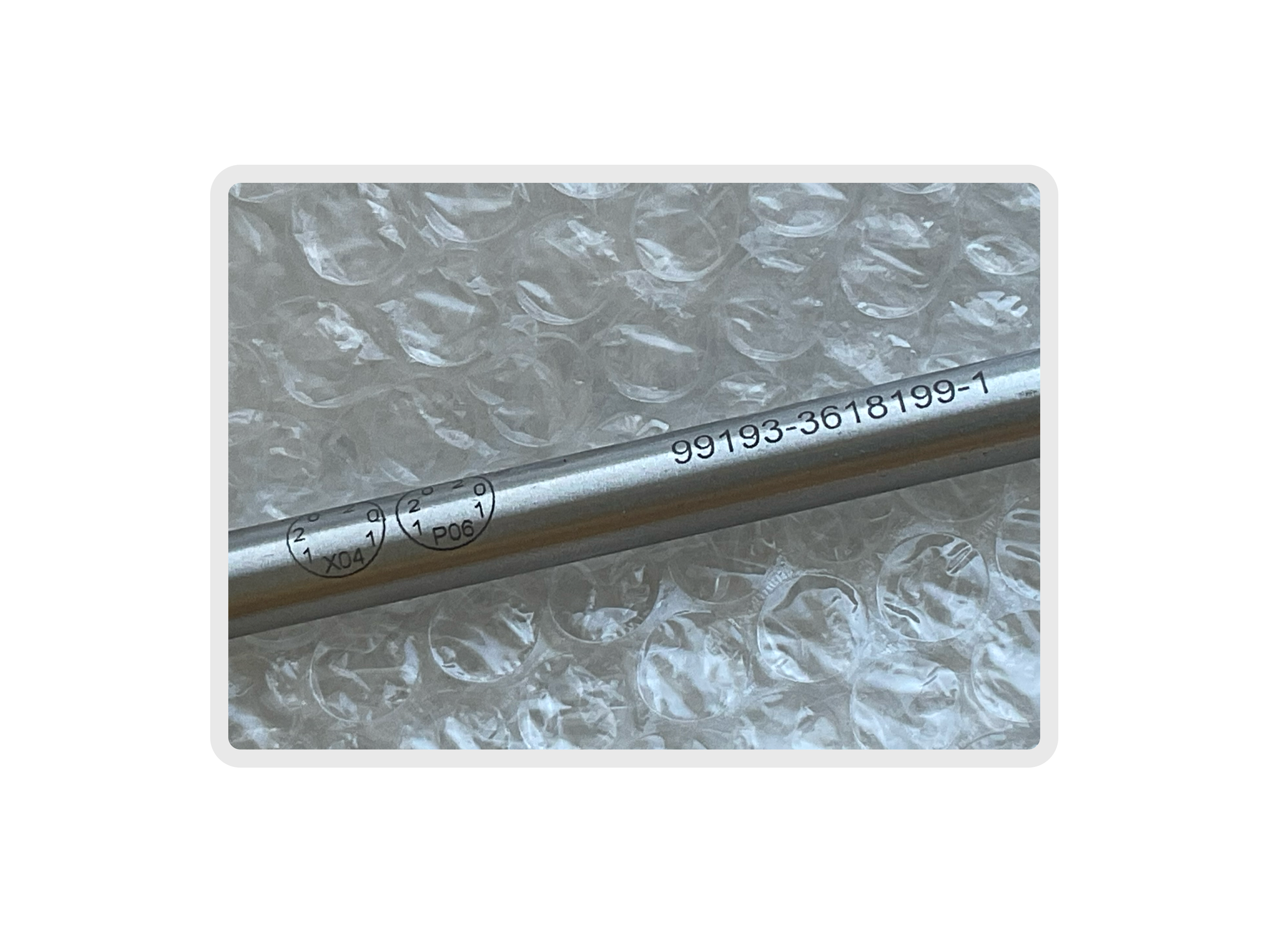
4. OCR Model — A dedicated OCR model reads the text content from each classified stamp region. Because tube surface materials — anodised aluminium, painted steel, rubber — produce low-contrast, noisy impressions, the model is fine-tuned specifically on manufacturing stamp typography rather than standard printed text. Off-the-shelf OCR (including Apple's built-in Vision text recognition) performed poorly on impressed and inked stamps at production working distances of 100–900 mm, which drove the decision to train a domain-specific model on the annotated dataset.
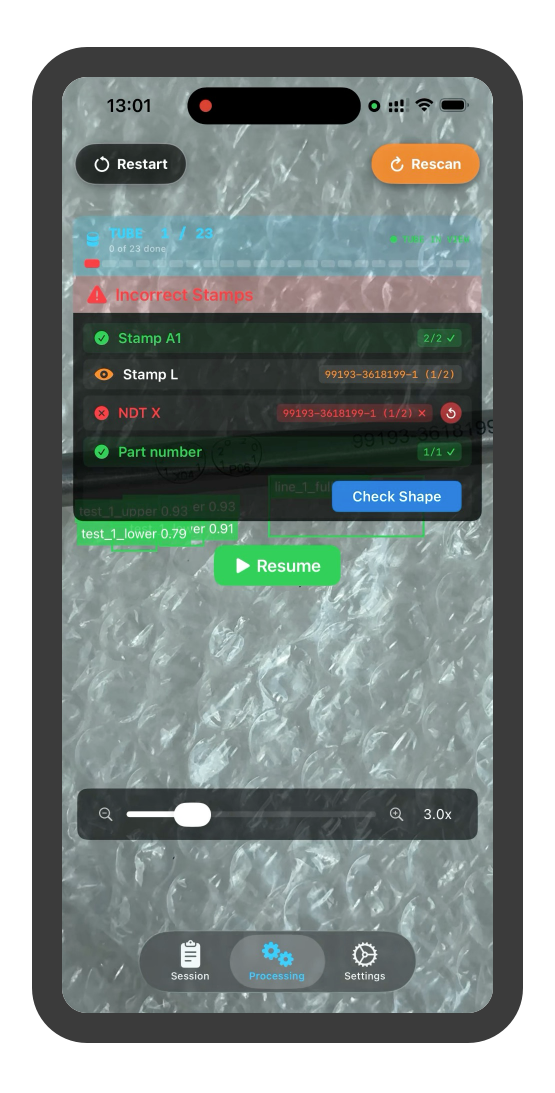
5. Shape Recognition — A separate vision model identifies the tube cross-section shape — round, oval, rectangular, or custom profile — to validate that the physical part matches the router specification. This is the most challenging model in the pipeline: subtle deformation tolerances and ambiguous camera angles make shape classification inherently uncertain. Unlike stamps, which have a fixed visual vocabulary, tubes are presented without fixtures at varying distances and rotations — the model receives no positional priors. Near-circular ovals and lightly deformed rounds remain a known gap; the current approach is to flag uncertain shape results for manual review rather than forcing a binary pass/fail.
App Workflow
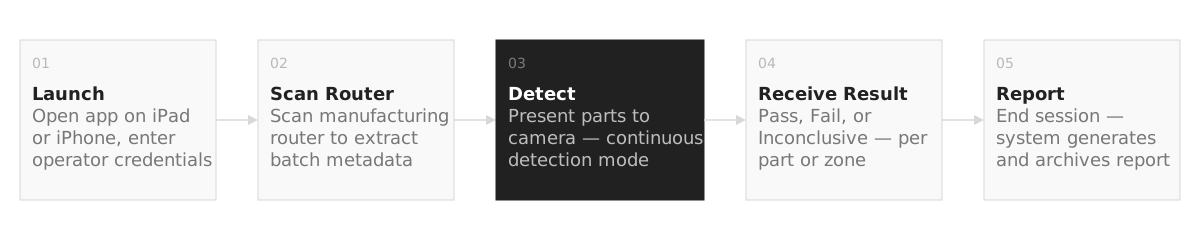
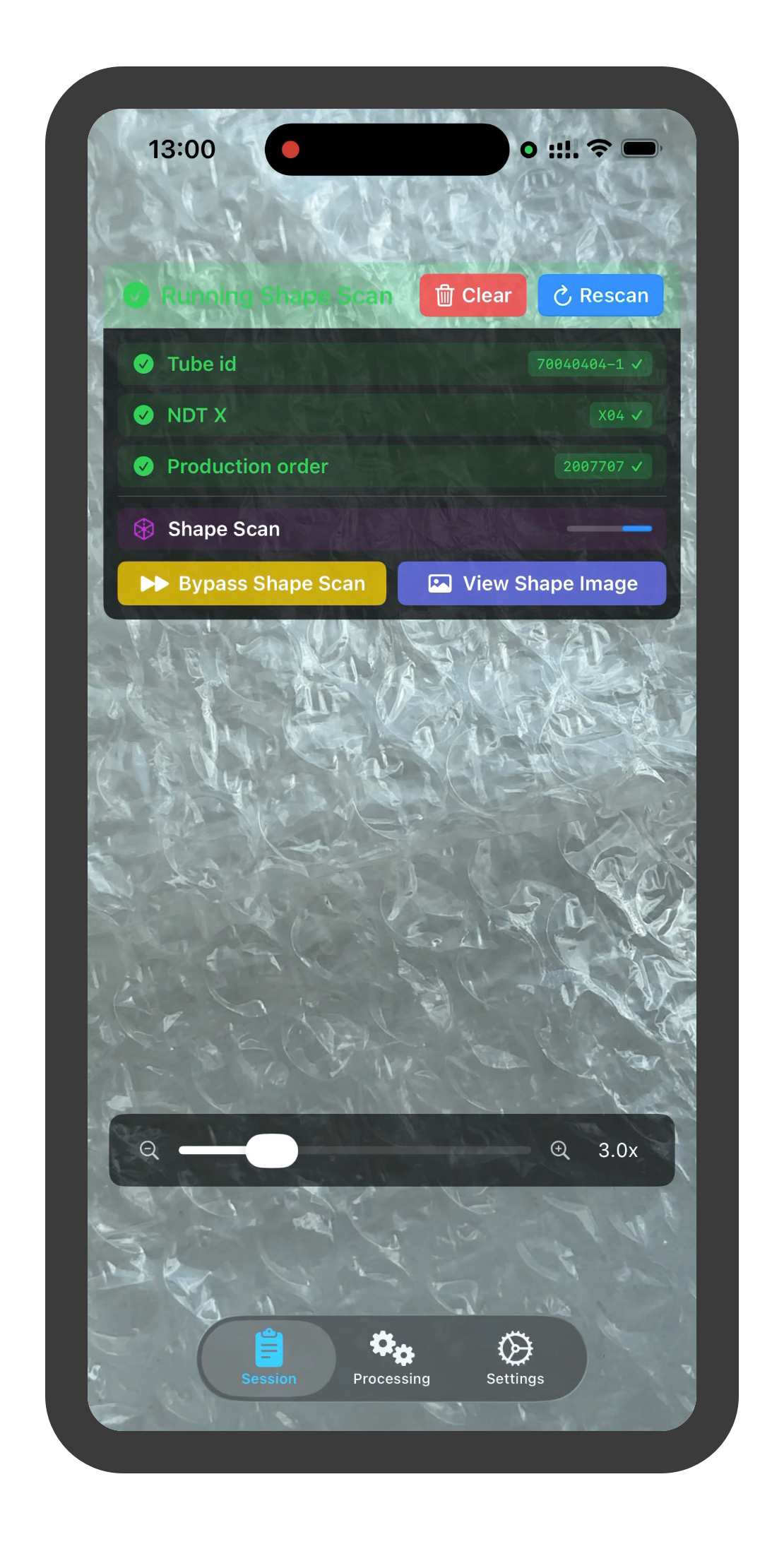
1. Router Processing — The inspector scans or photographs the paper work-order router for the batch. The app reads the router using OCR to extract the required tube specifications — part numbers, required stamps, quantities, and sign-off fields — building the checklist that drives all subsequent tube inspections in the batch.
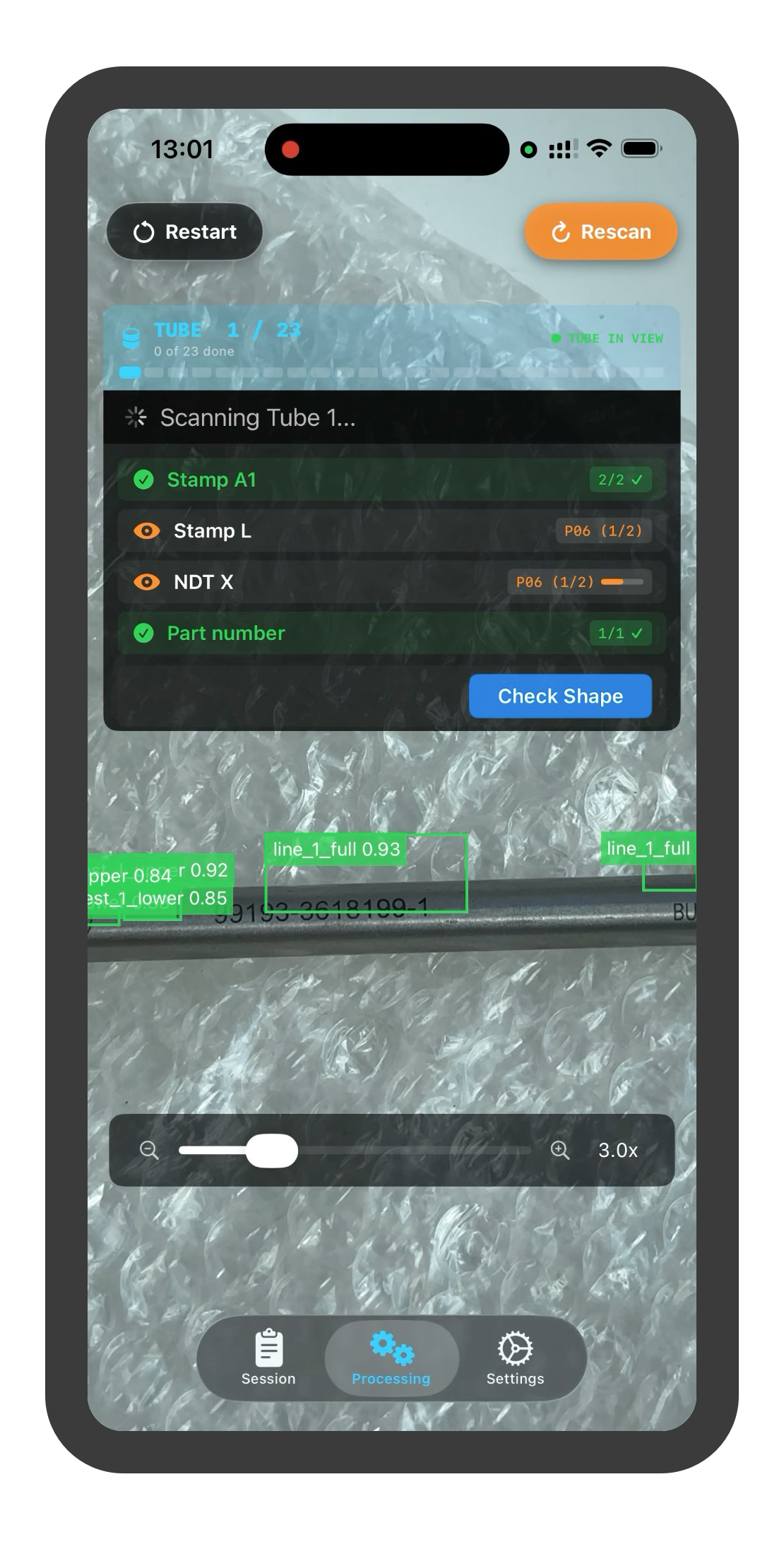
2. Tube-by-Tube Processing — The app guides the inspector through each tube stamp-by-stamp, prompting the camera to capture specific regions in sequence. For each stamp, the ML pipeline runs on-device via CoreML and returns a pass, fail, or uncertain result in under 5 seconds. Failures are flagged inline with the reason; uncertain cases trigger a guided re-capture before escalating to a manual review queue. Because all inference is local, the workflow is fully offline — critical in a factory environment where Wi-Fi coverage is patchy near metalworking equipment.
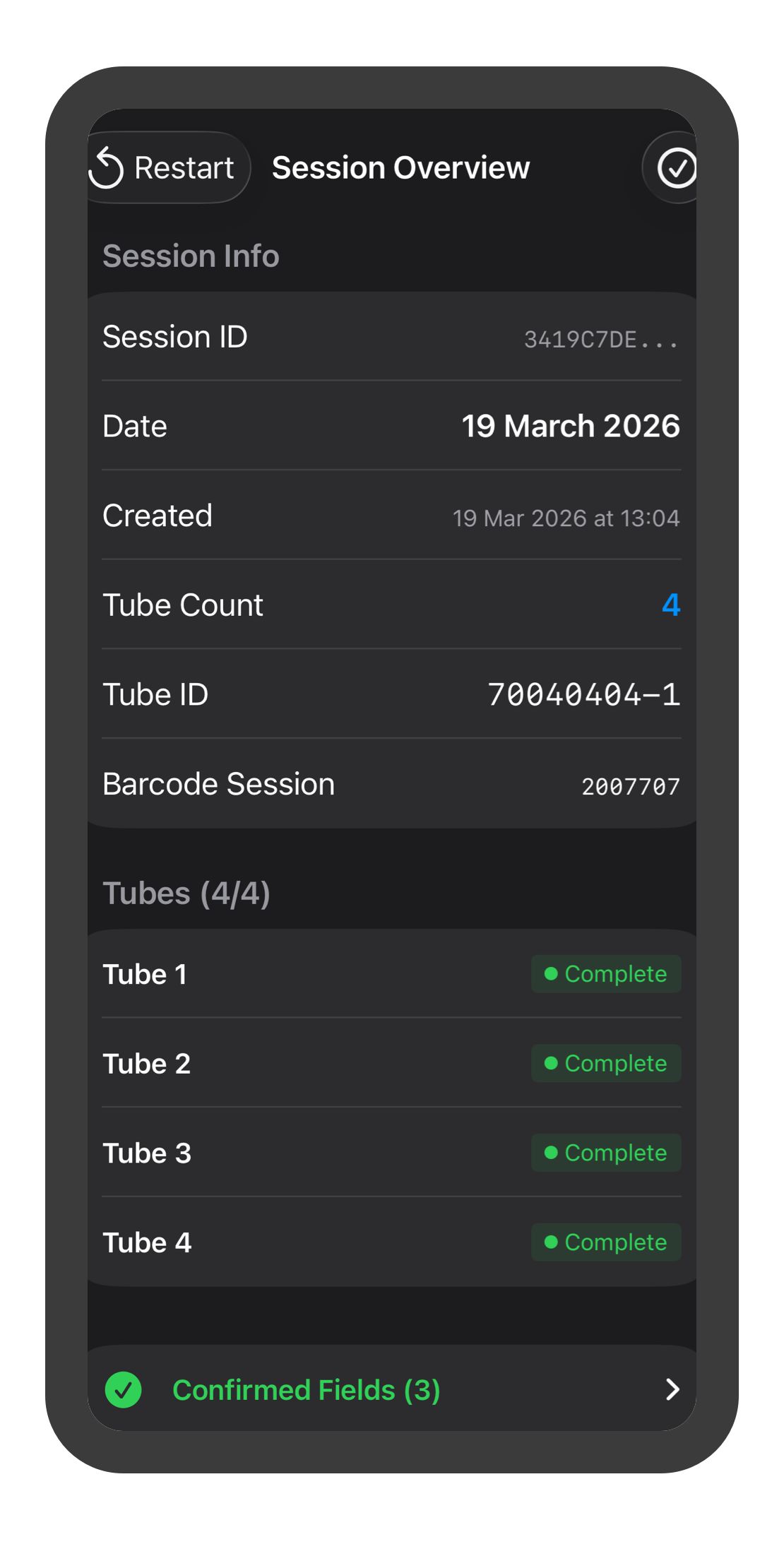
3. Data Collection for Model Updates — Every uncertain or failed detection is automatically flagged and stored with its original image, the inspector's correction, and the stamp context. This continuously growing labelled dataset feeds periodic model retraining cycles, progressively narrowing the gap in accuracy — particularly for edge cases like unusual stamp pressures, worn dies, and non-standard tube finishes. Retrained models are packaged as CoreML bundles, embedded in an app update, and distributed via Apple Business Manager — the retraining-to-deployment cycle requires no changes to the backend or on-site infrastructure.
System Architecture
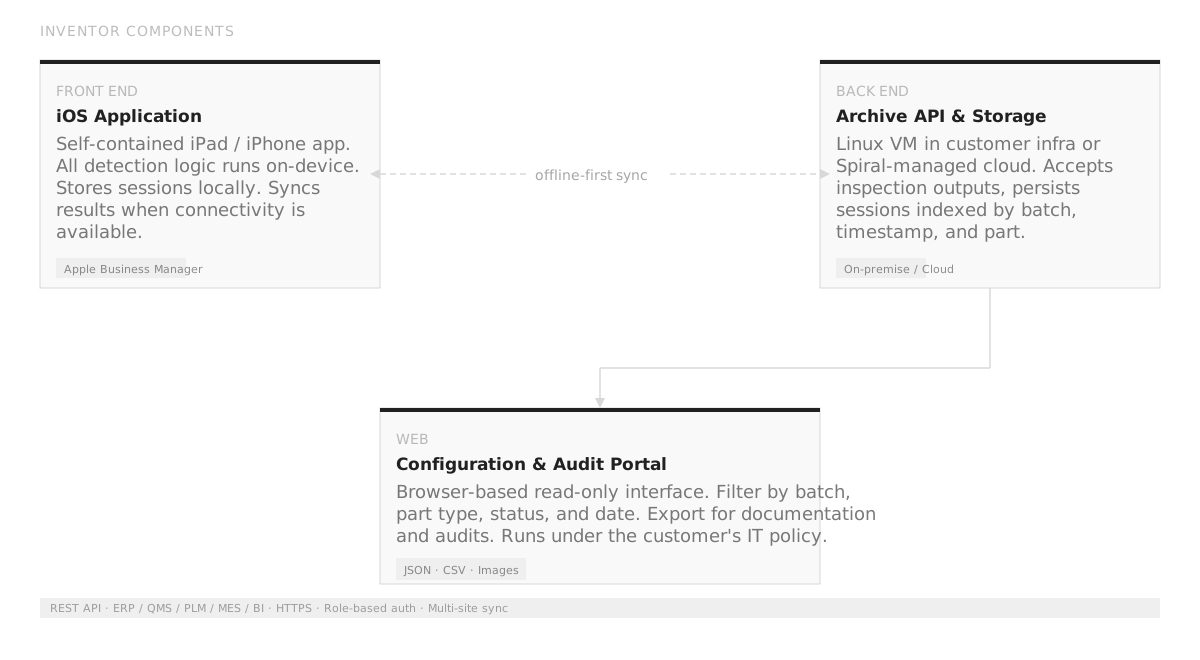
The system is built around three components designed for offline-first operation and on-premise deployment:
- iOS App — All detection and validation logic runs on-device via CoreML. Sessions are stored locally in a SQLite-backed store and synced to the backend when connectivity is available. Device provisioning and app updates are managed through Apple Business Manager.
- Archive API — Python/FastAPI service running on a Linux VM within the client's infrastructure. Accepts structured inspection outputs from the app, persists sessions indexed by batch, timestamp, and part identifier. Exposes a REST API for integration with ERP, QMS, PLM, and MES platforms; exports JSON, CSV, and image packages with metadata.
- Audit Portal — Browser-based read-only interface for reviewing archived inspection sessions. Supports filtering by batch, part type, status, and date; export targets ISO 9001 and AS9100 documentation requirements.
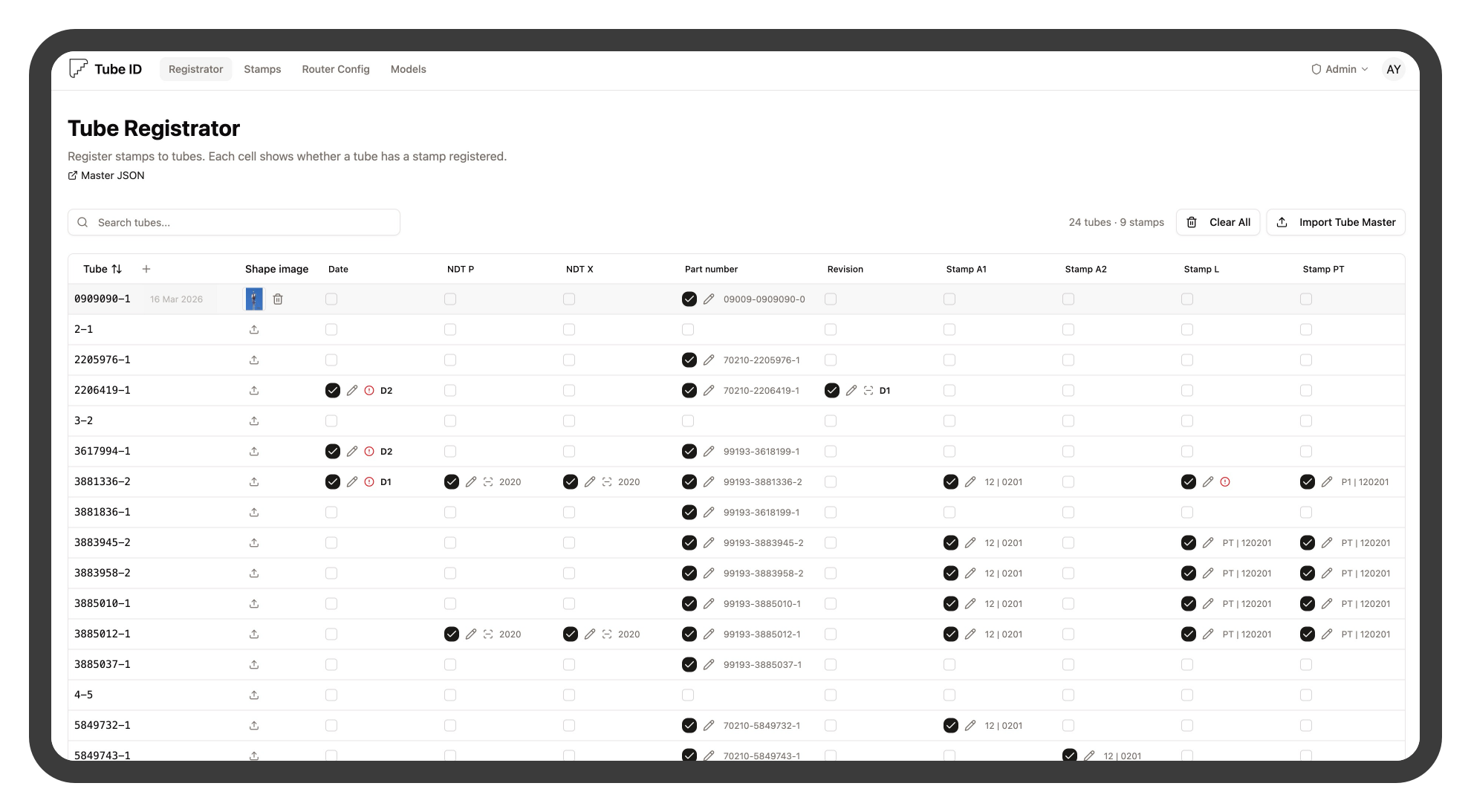
Project state
The first batch of tubes is deployed and in active testing:
- Deployment, CI/CD
- Devices setup and personnel onboarding
- First batch in production
- Shape model improvements
- Scale up to all types of tubes
- Integration with other suppliers